NotionNotion
Icon of connection

Miro

View Miro diagrams, journeys and roadmaps in Notion
  • Embed
View Miro diagrams, journeys and roadmaps in Notion

About

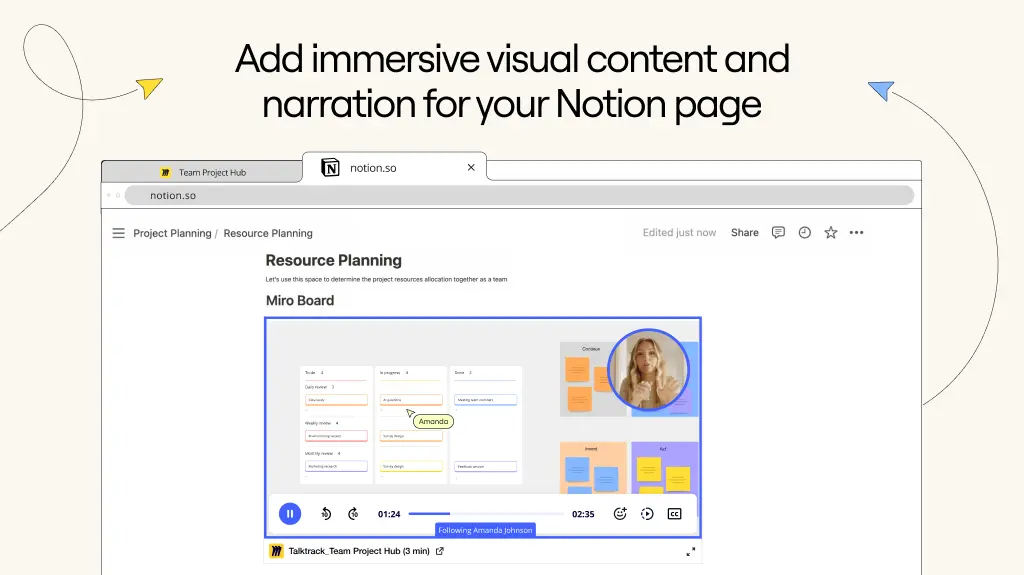
Miro is an online workspace that helps distributed teams of any size to build the next big thing. With Miro embeds, you can easily bring visual context into your Notion pages - including Miro diagrams, journeys and roadmaps. Miro is embedded as a live artifact, with a real-time sync, ensuring that the content is up to date at all times.

How to use

  • Paste any Miro link into Notion, then select Embed Miro board. You can also type /miro into a Notion page - a field will come up that allows you to paste Miro links

  • Ensure your Miro board has the right access permissions before embedding it into Notion. Only signed in users with permissions can access the board. Alternatively, you can make the Miro board available to anyone with the link in Miro’s Share menu

Details

Made by
Category
  • Productivity
  • Collaboration
Developer links
All third party trademarks (including logos and icons) referenced herein are the property of their respective owners. Unless specifically designated as Made by Notion, connections are not supported or maintained by Notion. The third party products or services that connections connect to are Non-Notion Applications (as defined in Notion’s Master Subscription Agreement or Personal Terms of Use, as applicable). By enabling any connection or otherwise using the Notion Connection Gallery, you agree to Notion’s Connection Gallery Terms.