I forgot my password. What do I do?
I forgot my password. What do I do?
If you forgot your password, follow the instructions to reset it here →
I just got an email saying I changed my email address or password, but I didn't!
I just got an email saying I changed my email address or password, but I didn't!
If you receive an unexpected email notifying you of a change to your password, you should reset your password as soon as possible. Follow these steps:
Navigate to notion.so/login in your web browser.
Click the
Continue with emailbutton.Enter the email address associated with your Notion account.
Click the
Forgot password?button, and then theSend Reset Linkbutton.We'll send a link to your email address. When you click that link, you'll be taken to
Settingsin your Notion workspace, and your password will be reset.Please report any suspicious activity like this to our support team, [email protected].
I tried changing my email address but got an error message saying: "A user with this email already exists."
I tried changing my email address but got an error message saying: "A user with this email already exists."
If you'd like to change your account email to one that’s already tied to another Notion account, you can log into the account that’s currently associated with your desired email address and delete that account to free up that email address. To do this:
Log into the account tied to your desired email address, then go to
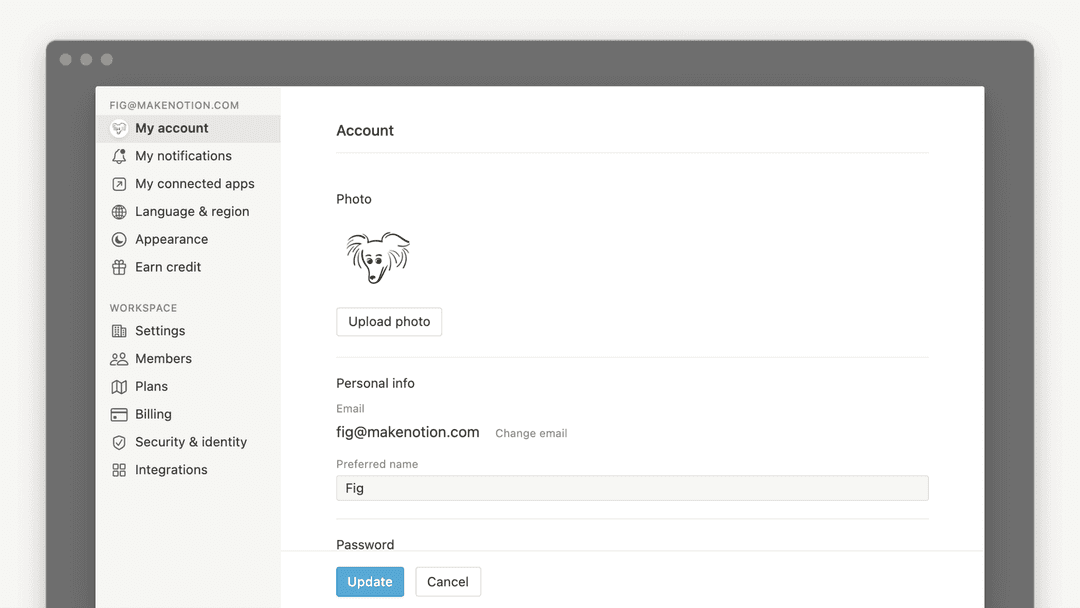
Settings→{your name}→Delete my account.Log into the account whose email address you want to change, then go to
Settings→{your name}→Change email.
هل يمكنني استعادة محتوى حُذف نهائياً عن طريق الخطأ؟ هل من طريقة لاستعادته؟
هل يمكنني استعادة محتوى حُذف نهائياً عن طريق الخطأ؟ هل من طريقة لاستعادته؟
إذا حذفت صفحة أو مساحة عمل أو حتى حسابك بالكامل عن طريق الخطأ، فيمكننا مساعدتك! الأخطاء واردة 😅 لمعالجة الأمر، أرسل رسالة إلينا من داخل التطبيق بالنقر على زر المساعدة ؟ الموجود في أسفل يسار نسخة سطح المكتب (أو في الشريط الجانبي على نسخة الهاتف المحمول). أو راسلنا عبر البريد الإلكتروني على العنوان [email protected].
نحتفظ بنسخ احتياطية من قاعدة بياناتنا، مما يتيح لنا استعادة نسخة احتياطية من البيانات بالصورة التي كانت عليها في لحظة معينة ضمن الثلاثين يوماً الماضية إذا احتجت إليها.