Produkt
Notion
Dit AI-arbejdsområde
Notion Kalender
Notion Mail
Notion AI
AI-værktøjer til arbejde
Agenter
Automatiser rutinearbejde
AI-mødenotater
Perfekt skrevet af AI
Virksomhedssøgning
Find svar med det samme
Vidensbase
Centraliser din viden
Dokumenter
Enkel og effektiv
Projekter
Administrer projekter
Integrationer
Forbind dine apps
Sikkerhed
Sikker og skalerbar
AI
AI-funktioner
Notion AI
AI-værktøjer til arbejde
Agenter
Automatiser rutinearbejde
AI-mødenotater
Perfekt skrevet af AI
Virksomhedssøgning
Find svar med det samme
Se brugstilfælde
Til arbejdet
Til privatlivet
Løsninger
Teams
Ingeniør og produkt
Design
Markedsføring
IT
Virksomhedens størrelse
Startups
Små virksomheder
Enterprise
Brugseksempler
Uddannelse
Personal
Professionel
AI-brugseksempler
Ressourcer
Gennemse
Skabeloner
Konsulenter
Integrationer
Opdag
Nyheder
Kundehistorier
Blog
Webinarer
Lær
Udviklere
Academy
Produktgennemgange
Hjælp
Udviklere
Enterprise
Priser
Anmod om en demo
Få Notion gratis
Log ind
Hjælp
Notion Basics
← Notion Basics
Notion Basics
Hjælpevejledning
Adding members, admins & guests
Hjælpevejledning
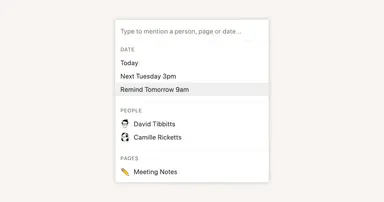
Reminders & @mentions
Hjælpevejledning
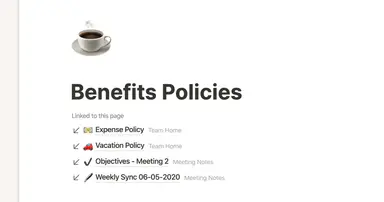
Creating links & backlinks
Hjælpevejledning
Creating a page
Hjælpevejledning
The best ways to use simple tables in your Notion pages (and when not to)
Hjælpevejledning
Start with a template
Hjælpevejledning
Using database views
Hjælpevejledning
Calendar view databases
Hjælpevejledning
Table view databases
Hjælpevejledning
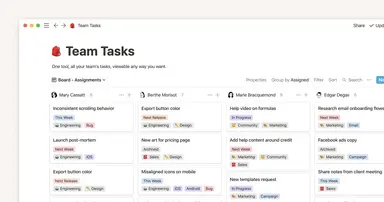
Board view databases
Hjælpevejledning
Gallery view databases
Hjælpevejledning
Full page vs. inline databases
Hjælpevejledning
Creating a database
Hjælpevejledning
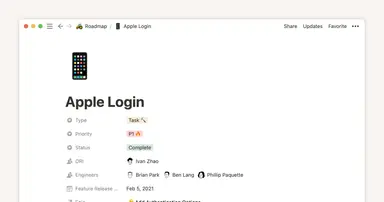
Database properties help organize your team’s information
Hjælpevejledning
Use charts to visualize data and track progress directly in Notion
Hjælpevejledning
Timeline view unlocks high-output planning for your team
Hjælpevejledning
When to use each type of database view
Hjælpevejledning
Where does Notion fit into your company’s tool ecosystem?
Hjælpevejledning
Unleashing productivity with Notion's Slack integration
Hjælpevejledning
Automatically generate blocks, pages and more with the click of a button
Hjælpevejledning
Writing & editing basics
Hjælpevejledning
How teams can use comments for better collaboration
Hjælpevejledning
Types of content blocks
Hjælpevejledning
Teamspaces give every team a home for important work
Hjælpevejledning
Bring live links into your Notion workspace with link previews
Hjælpevejledning
Connecting tools to Notion
Hjælpevejledning
What is Notion?
Hjælpevejledning
Automate work with repeating database templates
Hjælpevejledning
Getting started with page customization
Hjælpevejledning
Assign custom database permissions to make your life easier
Hjælpevejledning
Transforming content blocks in Notion
Hjælpevejledning
Using database templates
Hjælpevejledning
Using advanced database filters
Hjælpevejledning
Intro to Timeline view
Hjælpevejledning
How to create new pages as you type
Hjælpevejledning
Using linked databases
Hjælpevejledning
Using relation & rollup properties
Hjælpevejledning
Using slash commands
Hjælpevejledning
A Notion guide on switching between work and personal accounts
Hjælpevejledning
The status property gives you clarity on task progress