Product
Notion
Your AI workspace
Notion Calendar
Notion Mail
Notion AI
AI tools for work
Agents
Automate busywork
Meeting notes
Perfectly written by AI
Enterprise Search
Find answers instantly
Knowledge base
Centralise your knowledge
Docs
Simple and powerful
Projects
Manage any project
Connections
Connect your apps
Security
Safe and scalable
AI
AI features
Notion AI
AI tools for work
Agents
Automate busywork
Meeting notes
Perfectly written by AI
Enterprise Search
Find answers instantly
Explore use cases
For work
For life
Solutions
Teams
Eng & Product
Design
Marketing
IT
Company size
Startups
Small businesses
Enterprise
Use cases
Education
Personal
AI use cases
Resources
Browse
Templates
Consultants
Connections
Discover
What’s new
Customer stories
Blog
Webinars
Learn
Developers
Academy
Product tours
Help
Developers
Enterprise
Pricing
Request a demo
Log in
Get Notion free
Help centre
Project management
← Project management
Project management
Guide
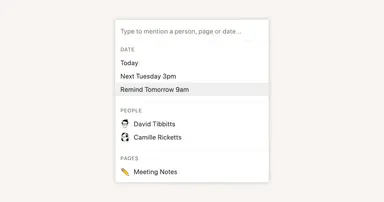
Reminders & @mentions
Guide
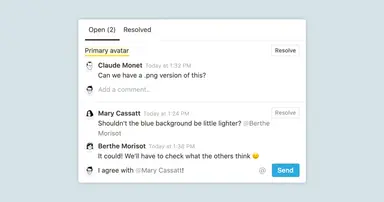
Comments & discussions
Guide
How to create a content calendar for your marketing team
Guide
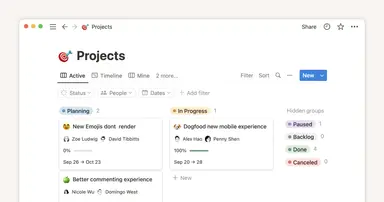
Getting started with projects and tasks
Guide
Working offline in Notion—Everything you need to know
Guide
Getting started with templates for your team
Guide
How to use Notion for your startup: Templates and more
Guide
Using database views
Guide
Board view databases
Guide
Creating a database
Guide
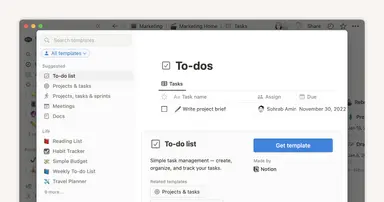
Give your to-dos a home with Task databases
Guide
Getting started with Notion Calendar
Guide
Project management that evolves with your team
Guide
Migrating to Notion for Project Management
Guide
Use charts to visualize data and track progress directly in Notion
Guide
A connected workspace for product teams to collaborate, ideate and launch
Guide
Your centralized product development hub in Notion
Guide
Break tasks into manageable steps with sub-tasks and dependencies
Guide
Synced Databases bridge the gap between different tools
Guide
Start fresh and do the thing: How to actually set and hit team goals this year
Guide
This project management system connects the dots for your product team
Guide
Share social media posts from Notion with webhook actions
Guide
Notify people instantly — with just a click of a button
Guide
Create streamlined project management workflows using database automations
Guide
Timeline view unlocks high-output planning for your team
Guide
Connect projects and docs to get more done, faster
Guide
Import projects from Asana for a connected work experience
Guide
When to use each type of database view
Guide
A simple CRM for strengthening client relationships and managing work
Guide
Use Asana link previews to keep your teams on the same page
Guide
Using Notion for marketing campaigns
Guide
Unleashing productivity with Notion's Slack integration
Guide
Use link previews to collaborate, manage projects, and ship faster
Guide
How tech startups build their company operating systems in Notion
Guide
Manage client work in a flexible project tracker
Guide
Automatically generate blocks, pages and more with the click of a button
Guide
How managers get a clear view of what everyone’s working on in Notion
Guide
Three key databases for teams, and how to use them
Guide
A guide to connecting projects and meeting notes
Guide
How engineering and product teams use Notion for sprint planning
Guide
How teams can use comments for better collaboration
Guide
This project management system helps your engineering team track every initiative
Guide
Show your team how to organize, track and manage work in Notion
Guide
Make work more efficient with database button properties
Guide
Using database templates to help cement your team's process
Guide
Databases reimagined— what’s changed?
Guide
How Notion can help your marketing team stay organized and efficient
Guide
Notion for creative agencies: managing internal and client work
Guide
Organize, manage, and track all your work with a personal dashboard
Guide
How visual link previews can streamline team collaboration
Guide
How to build an effective go-to-market (GTM) plan
Guide
Notion for engineers: A comprehensive guide to streamlining project management
Guide
Using database templates
Guide
Using advanced database filters
Guide
Personal tasks
Guide
Mastering the RACI model for effective project management
Guide
Using linked databases
Guide
Using Notion for product roadmaps
Guide
The status property gives you clarity on task progress