ผลิตภัณฑ์
Notion
พื้นที่ทำงาน AI ของคุณ
Notion Calendar
Notion Mail
Notion AI
เครื่องมือ AI สำหรับการทำงาน
เอเจนต์
สร้างระบบอัตโนมัติไว้จัดการงานที่จำเจ
AI Meeting Notes
ให้ AI ช่วยเขียนได้อย่างเพอร์เฟ็กต์
Enterprise Search
ค้นหาคำตอบทันที
ฐานความรู้
รวบรวมความรู้ไว้ในที่เดียว
เอกสาร
เรียบง่ายและทรงพลัง
โปรเจ็กต์
จัดการโปรเจ็กต์
การรวมระบบ
เชื่อมต่อแอพของคุณ
การรักษาความปลอดภัย
ปลอดภัยและปรับขยายได้
AI
ฟีเจอร์ AI
Notion AI
เครื่องมือ AI สำหรับการทำงาน
เอเจนต์
สร้างระบบอัตโนมัติไว้จัดการงานที่จำเจ
AI Meeting Notes
ให้ AI ช่วยเขียนได้อย่างเพอร์เฟ็กต์
Enterprise Search
ค้นหาคำตอบทันที
สำรวจกรณีการใช้งาน
สำหรับงาน
สำหรับชีวิต
โซลูชัน
ทีม
วิศวกรรมและผลิตภัณฑ์
การออกแบบ
การตลาด
IT
ขนาดบริษัท
สตาร์ทอัพ
ธุรกิจขนาดเล็ก
Enterprise
กรณีใช้งาน
การศึกษา
ส่วนตัว
มืออาชีพ
กรณีการใช้งาน AI
แหล่งข้อมูล
เลือกดู
เทมเพลต
ที่ปรึกษา
การรวมระบบ
ค้นพบ
มีอะไรใหม่
เรื่องราวของลูกค้า
บล็อก
เว็บบินาร์
เรียนรู้
นักพัฒนา
แหล่งเรียนรู้
ทัวร์ชมผลิตภัณฑ์
ช่วยเหลือ
นักพัฒนา
Enterprise
ราคา
ขอรับการสาธิต
ใช้ Notion ฟรี
เข้าสู่ระบบ
ศูนย์ช่วยเหลือ
พื้นฐานของ Notion
← พื้นฐานของ Notion
พื้นฐานของ Notion
คู่มือช่วยเหลือ
การเพิ่มสมาชิก ผู้ดูแลระบบ และผู้ใช้ชั่วคราว
คู่มือช่วยเหลือ
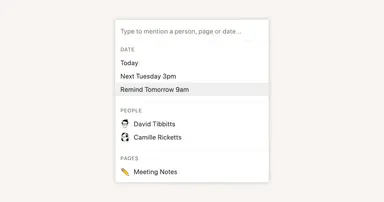
Reminders & @mentions
คู่มือช่วยเหลือ
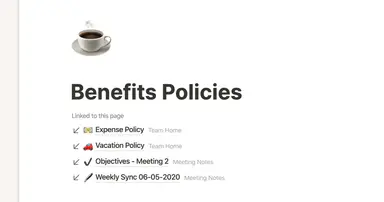
Creating links & backlinks
คู่มือช่วยเหลือ
Creating a page
คู่มือช่วยเหลือ
The best ways to use simple tables in your Notion pages (and when not to)
คู่มือช่วยเหลือ
Start with a template
คู่มือช่วยเหลือ
Using database views
คู่มือช่วยเหลือ
Calendar view databases
คู่มือช่วยเหลือ
Table view databases
คู่มือช่วยเหลือ
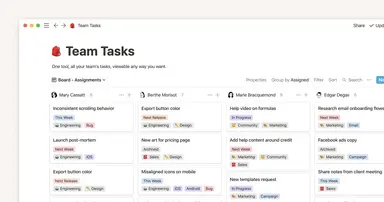
Board view databases
คู่มือช่วยเหลือ
Gallery view databases
คู่มือช่วยเหลือ
Full page vs. inline databases
คู่มือช่วยเหลือ
Creating a database
คู่มือช่วยเหลือ
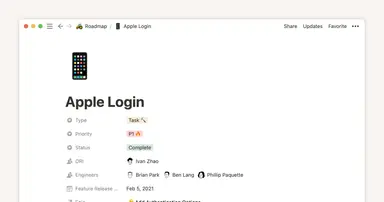
Database properties help organize your team’s information
คู่มือช่วยเหลือ
Use charts to visualize data and track progress directly in Notion
คู่มือช่วยเหลือ
Timeline view unlocks high-output planning for your team
คู่มือช่วยเหลือ
When to use each type of database view
คู่มือช่วยเหลือ
Where does Notion fit into your company’s tool ecosystem?
คู่มือช่วยเหลือ
Unleashing productivity with Notion's Slack integration
คู่มือช่วยเหลือ
Automatically generate blocks, pages and more with the click of a button
คู่มือช่วยเหลือ
Writing & editing basics
คู่มือช่วยเหลือ
How teams can use comments for better collaboration
คู่มือช่วยเหลือ
Types of content blocks
คู่มือช่วยเหลือ
Teamspaces give every team a home for important work
คู่มือช่วยเหลือ
Bring live links into your Notion workspace with link previews
คู่มือช่วยเหลือ
Connecting tools to Notion
คู่มือช่วยเหลือ
Notion คืออะไร?
คู่มือช่วยเหลือ
สร้างรายการที่เกิดซ้ำโดยอัตโนมัติด้วยเทมเพลตฐานข้อมูลแบบทำซ้ำ
คู่มือช่วยเหลือ
Getting started with page customization
คู่มือช่วยเหลือ
Assign custom database permissions to make your life easier
คู่มือช่วยเหลือ
Transforming content blocks in Notion
คู่มือช่วยเหลือ
Using database templates
คู่มือช่วยเหลือ
Using advanced database filters
คู่มือช่วยเหลือ
Intro to Timeline view
คู่มือช่วยเหลือ
How to create new pages as you type
คู่มือช่วยเหลือ
Using linked databases
คู่มือช่วยเหลือ
Using relation & rollup properties
คู่มือช่วยเหลือ
Using slash commands
คู่มือช่วยเหลือ
A Notion guide on switching between work and personal accounts
คู่มือช่วยเหลือ
The status property gives you clarity on task progress