产品
Notion
你的 AI 工作空间
Notion 日历
Notion 邮箱
Notion AI
办公 AI 工具
代理
自动化繁琐工作
AI 速记
由 AI 完美撰写
企业搜索
立即查找答案
知识库
集中管理你的知识
文档
简单而强大
项目
管理任何项目
连接
关联你的应用
安全
安全且可扩展
AI
AI 功能
Notion AI
办公 AI 工具
代理
自动化繁琐工作
AI 速记
由 AI 完美撰写
企业搜索
立即查找答案
探索用例
用于工作
用于生活
解决方案
团队
工程和产品
设计
市场营销
IT
公司规模
初创公司
小型企业
企业版
用例
教育
个人
专业
AI 用例
资源
浏览
模板
顾问
连接
探索
最近更新
客户故事
博客
网络研讨会
了解
开发者
学院
产品导览
帮助
开发者
企业版
价格
申请演示
免费获取 Notion
登录
帮助中心
Notion 基础知识
← Notion 基础知识
哈喽,感谢你访问我们的帮助中心。目前我们的帮助中心还在建设中。我们将在不久的未来呈现帮助中心的内容。感谢你的理解,我们未来再见!
Notion 基础知识
帮助指南
Adding members, admins & guests
帮助指南
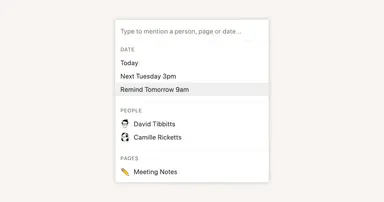
Reminders & @mentions
帮助指南
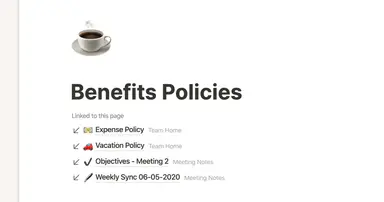
Creating links & backlinks
帮助指南
Creating a page
帮助指南
The best ways to use simple tables in your Notion pages (and when not to)
帮助指南
Start with a template
帮助指南
Using database views
帮助指南
Calendar view databases
帮助指南
Table view databases
帮助指南
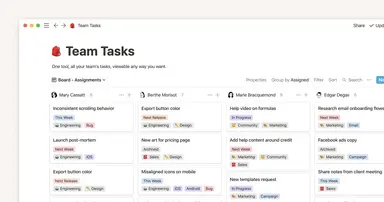
Board view databases
帮助指南
Gallery view databases
帮助指南
Full page vs. inline databases
帮助指南
Creating a database
帮助指南
Database properties help organize your team’s information
帮助指南
Use charts to visualize data and track progress directly in Notion
帮助指南
Timeline view unlocks high-output planning for your team
帮助指南
When to use each type of database view
帮助指南
Where does Notion fit into your company’s tool ecosystem?
帮助指南
Unleashing productivity with Notion's Slack integration
帮助指南
Automatically generate blocks, pages and more with the click of a button
帮助指南
Writing & editing basics
帮助指南
How teams can use comments for better collaboration
帮助指南
Types of content blocks
帮助指南
Teamspaces give every team a home for important work
帮助指南
Bring live links into your Notion workspace with link previews
帮助指南
Connecting tools to Notion
帮助指南
What is Notion?
帮助指南
自动处理可重复数据库模板
帮助指南
Getting started with page customization
帮助指南
Assign custom database permissions to make your life easier
帮助指南
Transforming content blocks in Notion
帮助指南
Using database templates
帮助指南
Using advanced database filters
帮助指南
Intro to Timeline view
帮助指南
How to create new pages as you type
帮助指南
Using linked databases
帮助指南
Using relation & rollup properties
帮助指南
Using slash commands
帮助指南
A Notion guide on switching between work and personal accounts
帮助指南
The status property gives you clarity on task progress