Produkt
Notion
KI-arbeidsområdet ditt
Notion Calendar
Notion Mail
Notion KI
KI-verktøy for arbeid
Agenter
Automatiser rutinearbeid
KI-møtenotater
Perfekt skrevet av KI
Enterprise-søk
Finn svar umiddelbart
Kunnskapsbase
Sentraliser kunnskapen din
Dokumenter
Enkel og kraftig
Prosjekter
Administrer et hvilket som helst prosjekt
Integrasjoner
Koble til appene dine
Sikkerhet
Sikker og skalerbar
KI
KI-funksjoner
Notion KI
KI-verktøy for arbeid
Agenter
Automatiser rutinearbeid
KI-møtenotater
Perfekt skrevet av KI
Enterprise-søk
Finn svar umiddelbart
Utforsk bruksområderer
Til arbeid
Til personlig bruk
Løsninger
Team
Utvikling og produkt
Design
Markedsføring
IT
Firmastørrelse
Startuper
Små bedrifter
Enterprise
Brukstilfeller
Utdanning
Personlig
Profesjonell
Brukstilfeller for KI
Ressurser
Bla gjennom
Maler
Konsulenter
Integrasjoner
Oppdag
Hva er nytt?
Kundehistorier
Blogg
Webinarer
Lær
Utviklere
Academy
Produktomvisninger
Hjelp
Utviklere
Enterprise
Pris
Be om en demo
Få Notion gratis
Logg inn
Hjelpesenter
Notion Basics
← Notion Basics
Notion Basics
Hjelpeveiledning
Adding members, admins & guests
Hjelpeveiledning
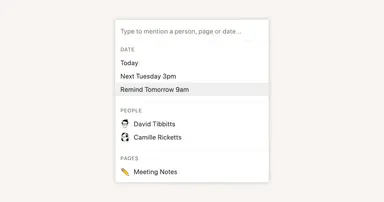
Reminders & @mentions
Hjelpeveiledning
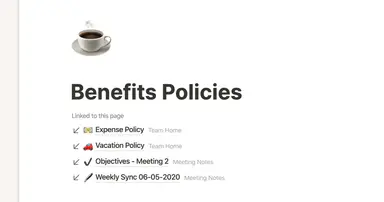
Creating links & backlinks
Hjelpeveiledning
Creating a page
Hjelpeveiledning
The best ways to use simple tables in your Notion pages (and when not to)
Hjelpeveiledning
Start with a template
Hjelpeveiledning
Using database views
Hjelpeveiledning
Calendar view databases
Hjelpeveiledning
Table view databases
Hjelpeveiledning
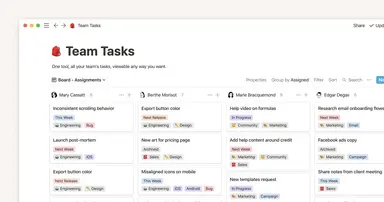
Board view databases
Hjelpeveiledning
Gallery view databases
Hjelpeveiledning
Full page vs. inline databases
Hjelpeveiledning
Creating a database
Hjelpeveiledning
Database properties help organize your team’s information
Hjelpeveiledning
Use charts to visualize data and track progress directly in Notion
Hjelpeveiledning
Timeline view unlocks high-output planning for your team
Hjelpeveiledning
When to use each type of database view
Hjelpeveiledning
Where does Notion fit into your company’s tool ecosystem?
Hjelpeveiledning
Unleashing productivity with Notion's Slack integration
Hjelpeveiledning
Automatically generate blocks, pages and more with the click of a button
Hjelpeveiledning
Writing & editing basics
Hjelpeveiledning
How teams can use comments for better collaboration
Hjelpeveiledning
Types of content blocks
Hjelpeveiledning
Teamspaces give every team a home for important work
Hjelpeveiledning
Bring live links into your Notion workspace with link previews
Hjelpeveiledning
Connecting tools to Notion
Hjelpeveiledning
What is Notion?
Hjelpeveiledning
Automate work with repeating database templates
Hjelpeveiledning
Getting started with page customization
Hjelpeveiledning
Assign custom database permissions to make your life easier
Hjelpeveiledning
Transforming content blocks in Notion
Hjelpeveiledning
Using database templates
Hjelpeveiledning
Using advanced database filters
Hjelpeveiledning
Intro to Timeline view
Hjelpeveiledning
How to create new pages as you type
Hjelpeveiledning
Using linked databases
Hjelpeveiledning
Using relation & rollup properties
Hjelpeveiledning
Using slash commands
Hjelpeveiledning
A Notion guide on switching between work and personal accounts
Hjelpeveiledning
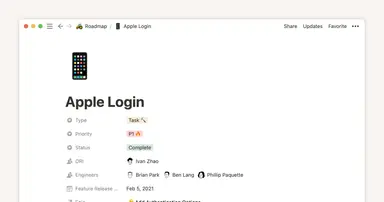
The status property gives you clarity on task progress