

Can I switch between workspaces that are associated with different email addresses?
Can I switch between workspaces that are associated with different email addresses?
To add your workspaces from another email account, use the Add another account button in the workspace switcher at the top left of your Notion window, and follow the steps to login to your other account. More on this here →
I clicked the Create or Join Workspace button, but it will only let me create a workspace. How do I join a workspace?
I clicked the Create or Join Workspace button, but it will only let me create a workspace. How do I join a workspace?
You can only join a workspace via the Create or Join Workspace button if that workspace has the Allowed Email Domains setting enabled, which lets users with your email domain join the workspace automatically.
To join a workspace, you'll need to ask an admin from that workspace to send you an invite.
To add your workspaces from another email account, use the Add another account button in the workspace switcher at the top left of your Notion window, and follow the steps to login to your other account. More on this here →
My sidebar doesn't have any sections. How do I turn those on?
My sidebar doesn't have any sections. How do I turn those on?
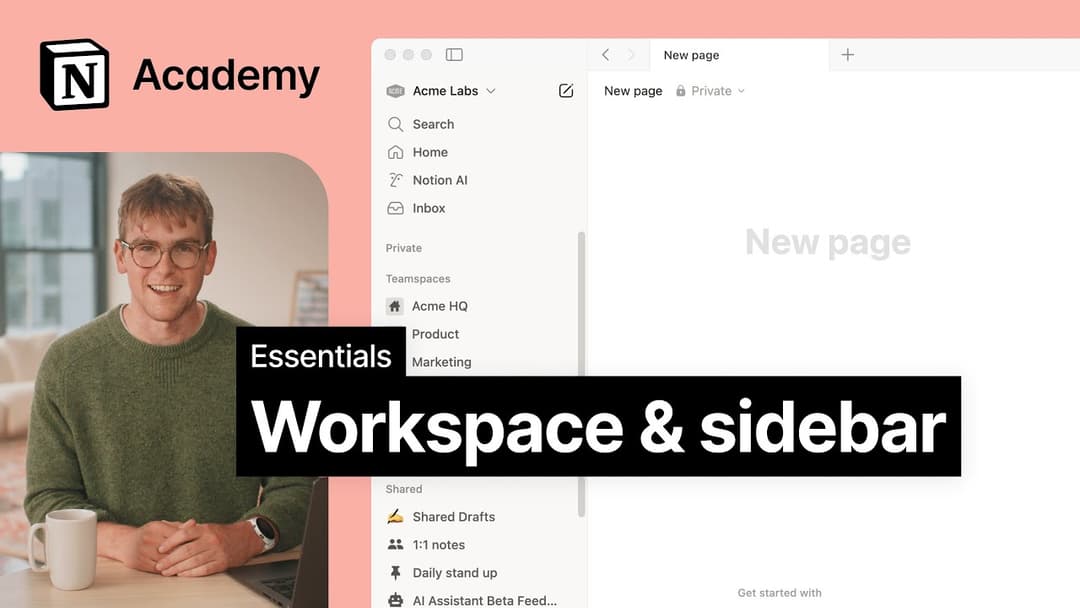
The sidebar sections reflect the sharing settings of your account. If you have more than one person in your workspace, a Teamspaces section appears in the sidebar for your collaborative work with that person, and the Private section is there for your personal pages that are only visible to you.
When I subscribe to a Plus Plan, does it cover all my workspaces?
When I subscribe to a Plus Plan, does it cover all my workspaces?
Paid plans only apply to one workspace, and don't cover the whole account. Workspaces are completely separate, so you won't be able to link any content between them.
We recommend using the least number of workspaces possible, and taking advantage of top-level pages in your sidebar to stay organized.
How can I migrate all my Notion content to a different workspace?
How can I migrate all my Notion content to a different workspace?
Note: Any migrated content will be duplicated to the new workspace and these pages sometimes have issues. For more information, click here.
To move your content from one workspace to another associated with the same account, click ••• next to each of the top-level pages in your sidebar (or right click) and select Move to. At the bottom of the move menu, you’ll see a drop down to select a different workspace.
When you move top-level pages, all their sub-pages go with them. They'll appear in the Private section but can be moved wherever you want to put them.
Điều gì sẽ xảy ra nếu tôi lỡ tay xóa vĩnh viễn nội dung nào đó? Có cách nào lấy lại được không?
Điều gì sẽ xảy ra nếu tôi lỡ tay xóa vĩnh viễn nội dung nào đó? Có cách nào lấy lại được không?
Nếu bạn vô tình xóa một trang, một không gian làm việc hoặc thậm chí toàn bộ tài khoản của mình, chúng tôi có thể trợ giúp! Sự cố đôi khi vẫn xảy ra 😅 Bạn chỉ cần gửi tin nhắn cho chúng tôi trong ứng dụng bằng cách nhấp vào dấu ? ở góc dưới bên trái màn hình máy tính (hoặc trong thanh bên của bạn, nếu dùng thiết bị di động). Hoặc gửi email cho chúng tôi theo địa chỉ [email protected].
Chúng tôi có lưu giữ các bản sao lưu cơ sở dữ liệu, nhờ đó chúng tôi có thể khôi phục phiên bản nội dung của bạn trong 30 ngày qua, nếu bạn cần đến.
How do I log out of my Notion account?
How do I log out of my Notion account?
Click on your current workspace's name at the very top left of your sidebar. Scroll to the bottom, and you'll see the option to Log out next to your email address.